Unbox and Inspect
Order matters here: unbox, open the lids, remove the transport locks, then check the contents. The drawers stay locked until the locks are out.
Watch the video: Removing lids and transport locks
1. Check the box on delivery
- Before you sign for the delivery, look for dents, crushing or water damage on the box. Note any damage on the carrier's delivery receipt and take photos.
- The box is 28 × 28 × 14 in, about 110 lb (50 kg), with handle slots on two sides. The serial number is printed on the side.
2. Unpack
You need two people.
- Remove any straps or wrap around the box.
- Cut the tape along the top and open the flaps.
- Lift the carry case out of the box together.
- Open the carry case and lift out the P-EDC.
- Remove the foam and the plastic bag around it.
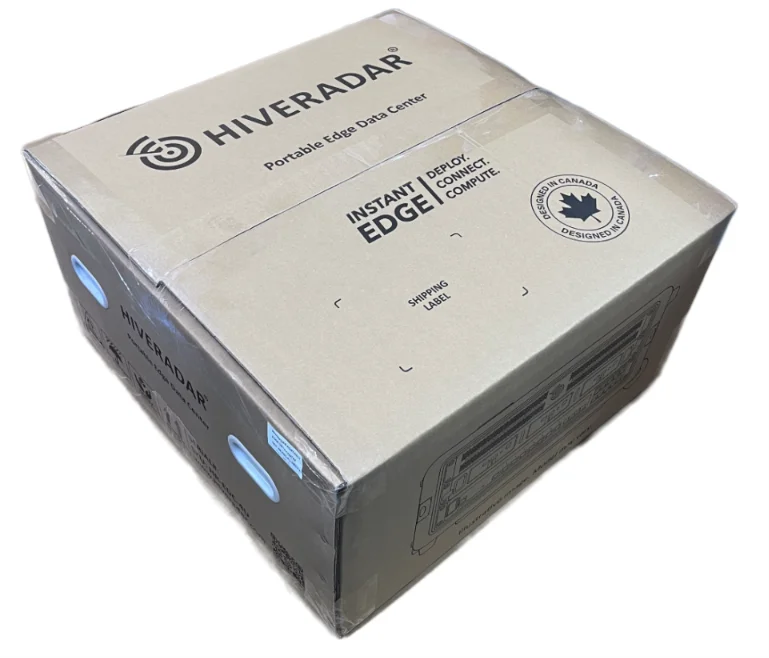
Keep the box, the foam (two large pieces, four small gap fillers) and the bag. You need them to ship the unit again. Exterior packaging may vary.
3. Open the lids
- Lay the P-EDC flat on a stable surface.
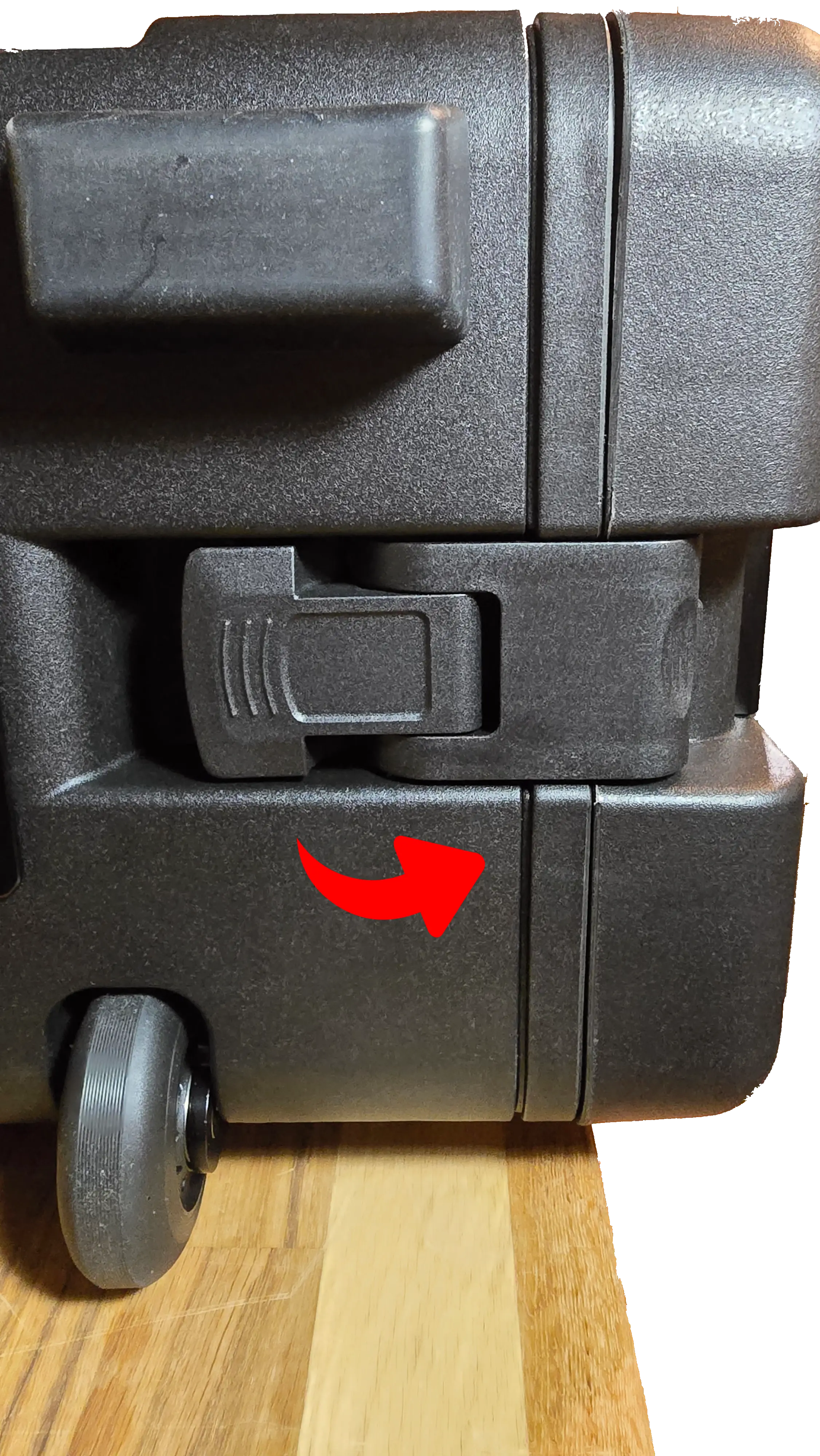
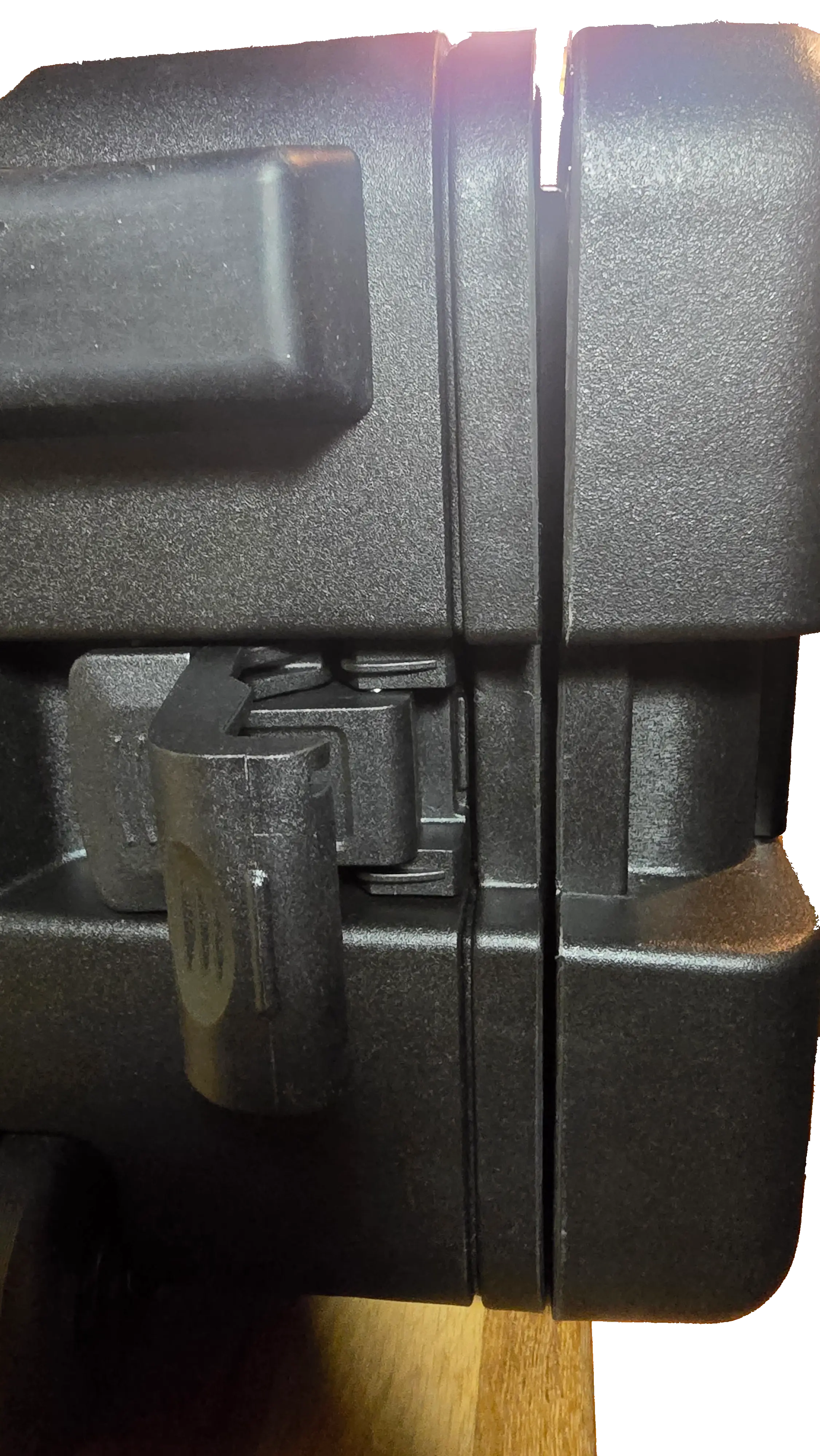
- Release the two latches on each lid. They sit on the narrow ends.
- Hold the lid while you release the latches. Its weight can make it drop.
- Lift the lid off and set it aside. Foam pads and the instruction pouches under the lids are loose and may fall out.
4. Remove the transport locks
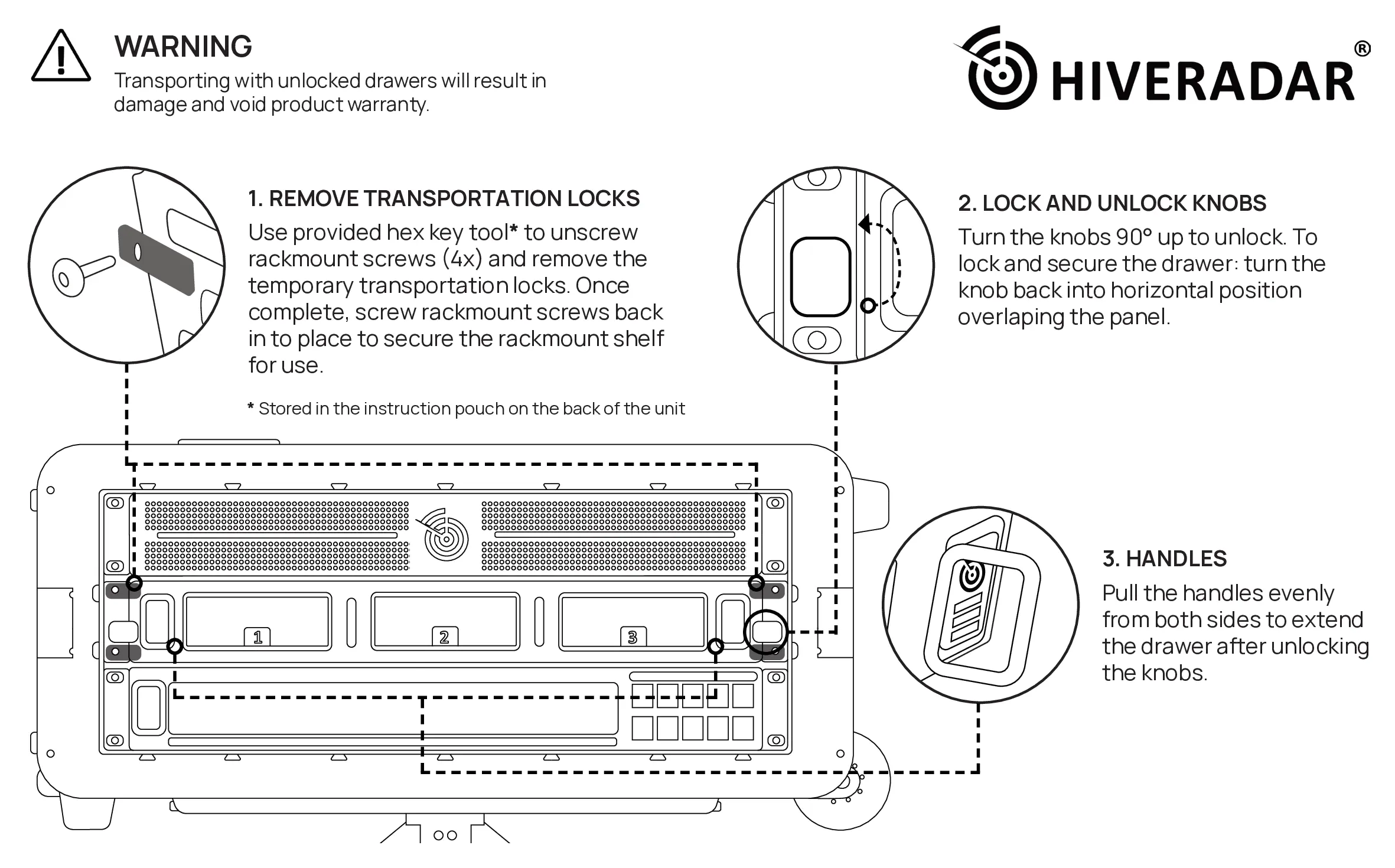
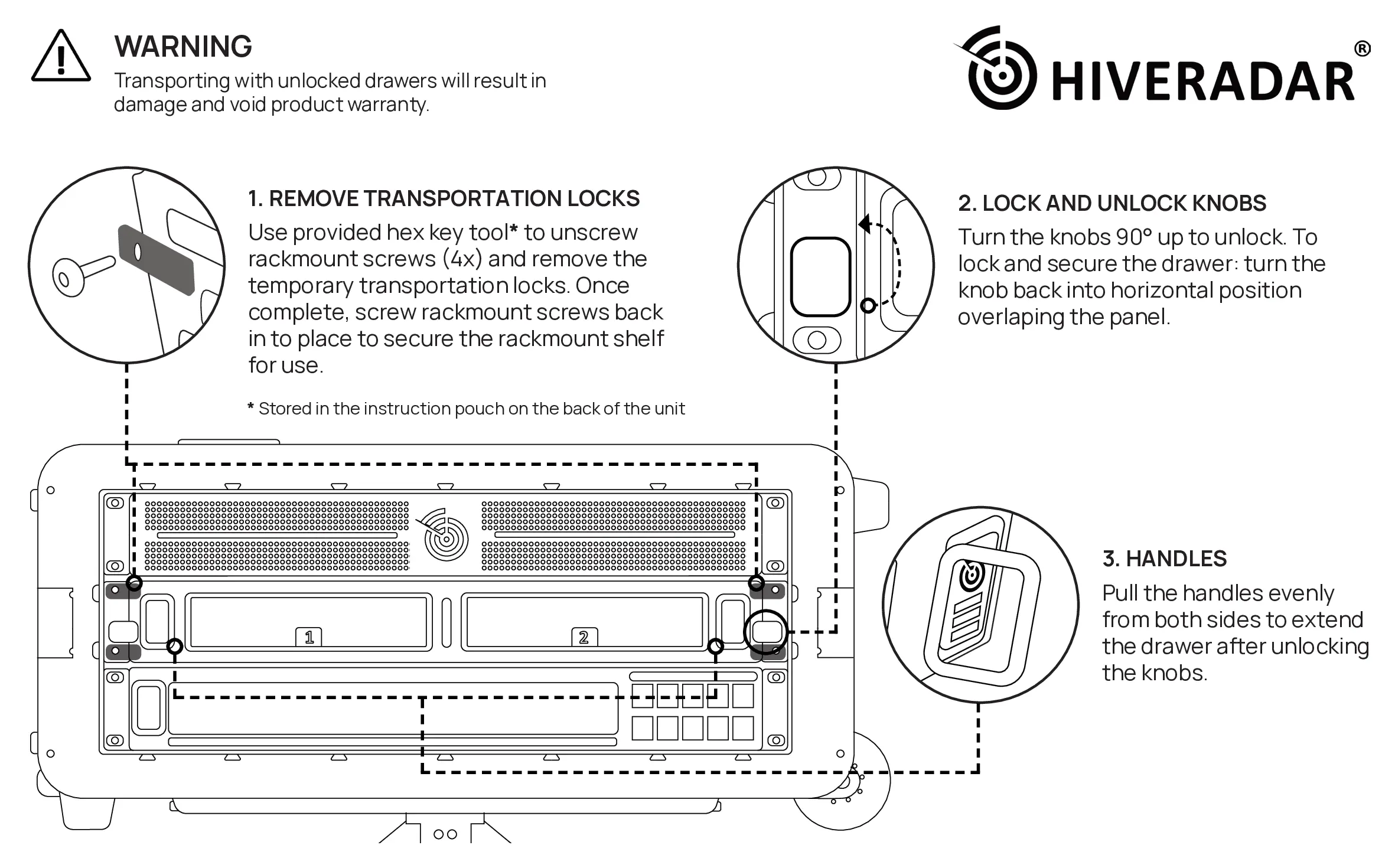
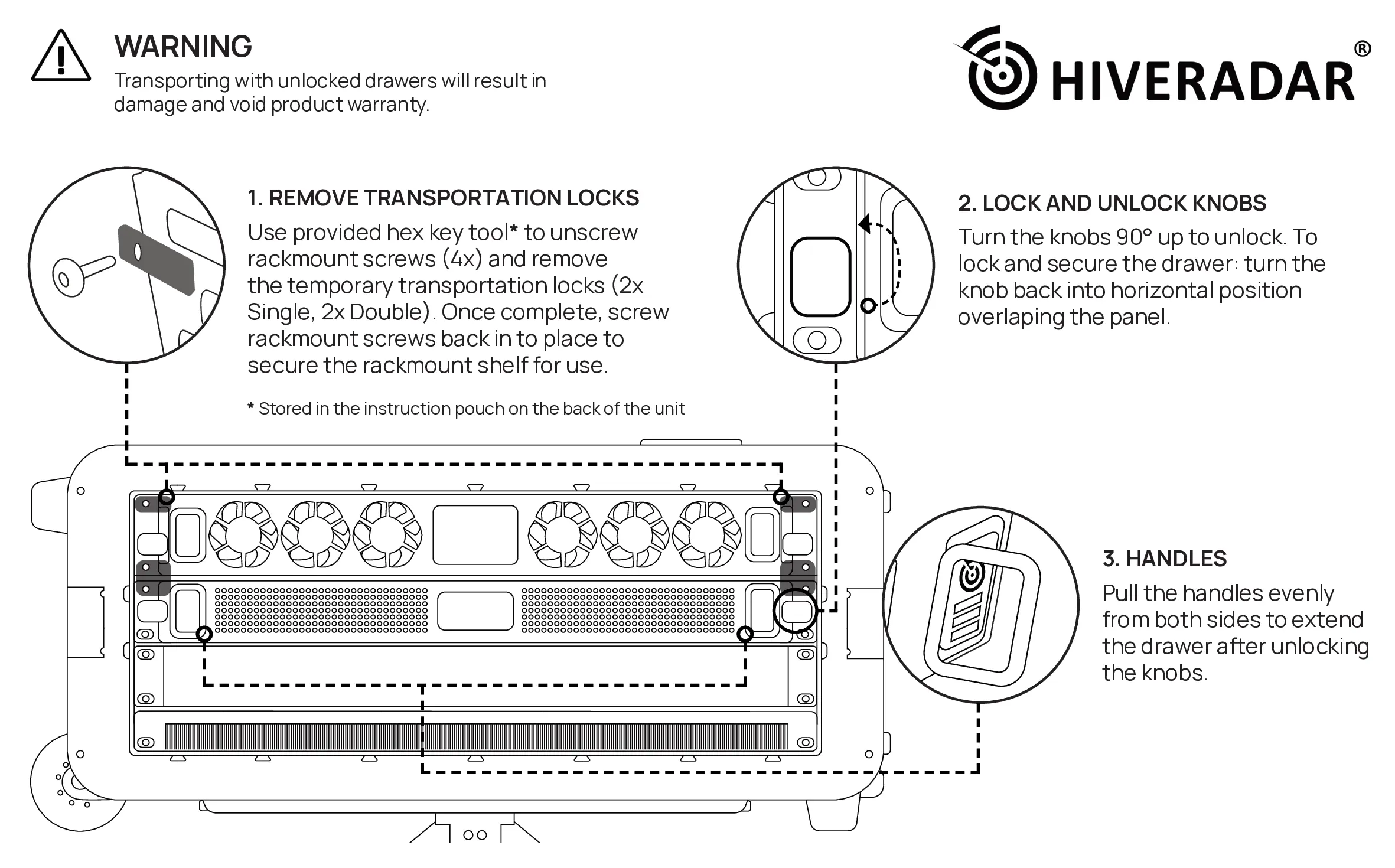
Transport locks hold the drawers closed in transit. The diagrams in the pouches under the lids show where they are.
- Front: 2 single-hole locks on the compute drawer
- Rear: 2 single-hole locks on the top storage drawer, and 2 double-hole locks across the top and bottom storage drawers
- Take the 4 mm hex key from the instruction pouch under the rear lid.
- Unscrew the rack screws holding each lock and remove the lock.
- Screw the rack screws back in to hold the rack in place.
- Keep the locks. Refit them before courier shipping or any long-distance move.
Moving the P-EDC with the drawers unlocked can damage it and voids the warranty. Keep the drawer knobs locked whenever the unit is moved.
- NUC PRO
- HR-01-2
5. Check the contents
- NUC PRO
- HR-01-2
| Where | What |
|---|---|
| Case | Switch, PDU, HiveSight SBC, and the compute drawer with 3 NUC PRO nodes, installed and tested |
| Lid 1 | 2 EDC support legs, the extension pole, an EnergyBar LED power module. Becomes the work surface |
| Lid 2 | 2 bench legs, an EnergyBar LED power module. Becomes the bench |
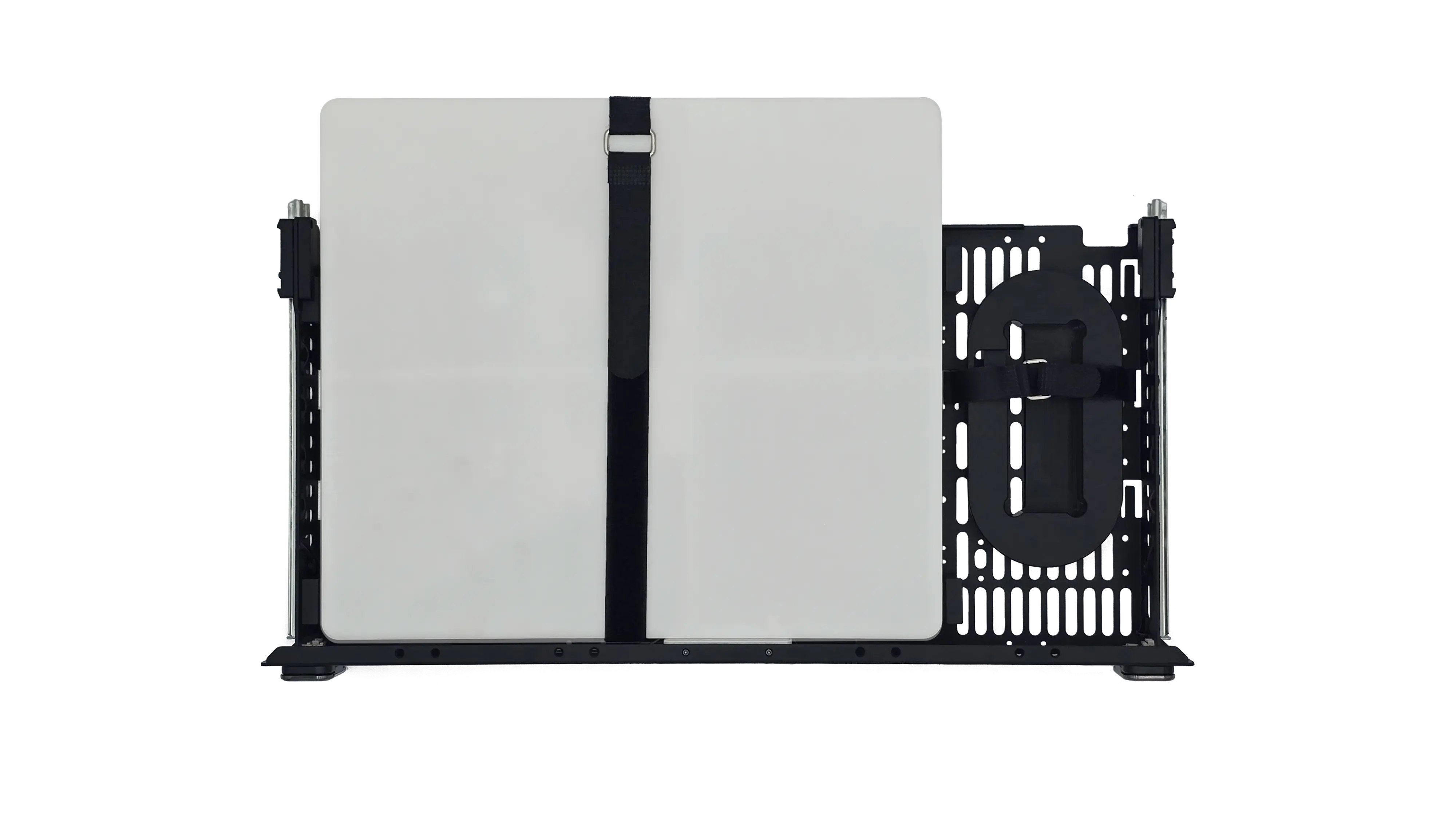
| Top drawer | Main pole, T-bar, beacon, hex key, accessory pouch, and the gateway if ordered |
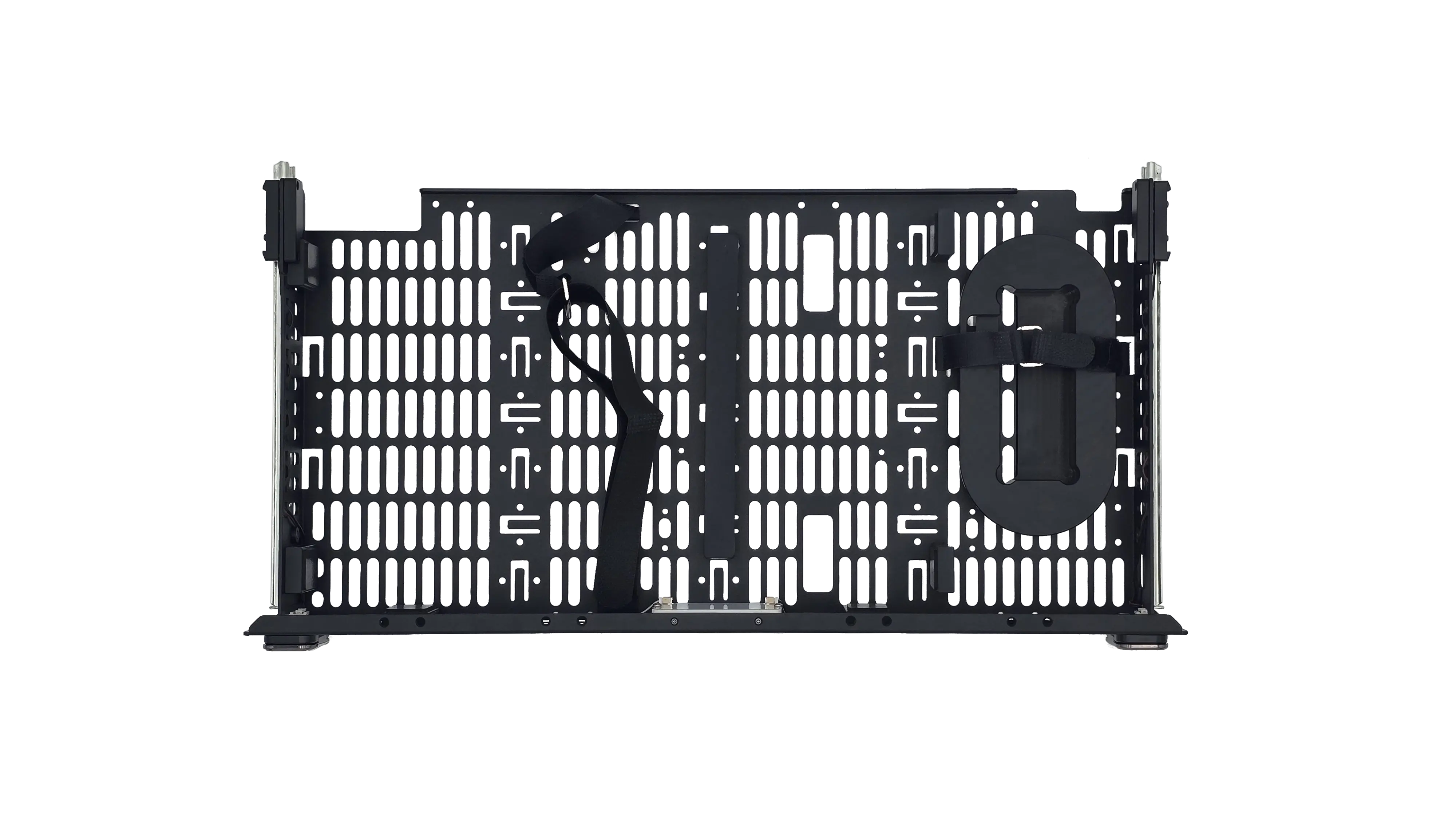
| Lower drawer | Space for a Starlink Mini and its cabling (Starlink not included) |
Lower drawer:
| Where | What |
|---|---|
| Case | Switch, PDU, HiveSight SBC, and the compute drawer with 2 HR-01 edge servers, installed and tested |
| Lid 1 | 2 EDC support legs, the extension pole, an EnergyBar LED power module. Becomes the work surface |
| Lid 2 | 2 bench legs, an EnergyBar LED power module. Becomes the bench |
| Top drawer | Main pole, T-bar, beacon, hex key, accessory pouch, and the gateway if ordered |
| Lower drawer | Space for accessories. A Starlink Mini does not fit; use the optional Starlink backpack |
Lower drawer:
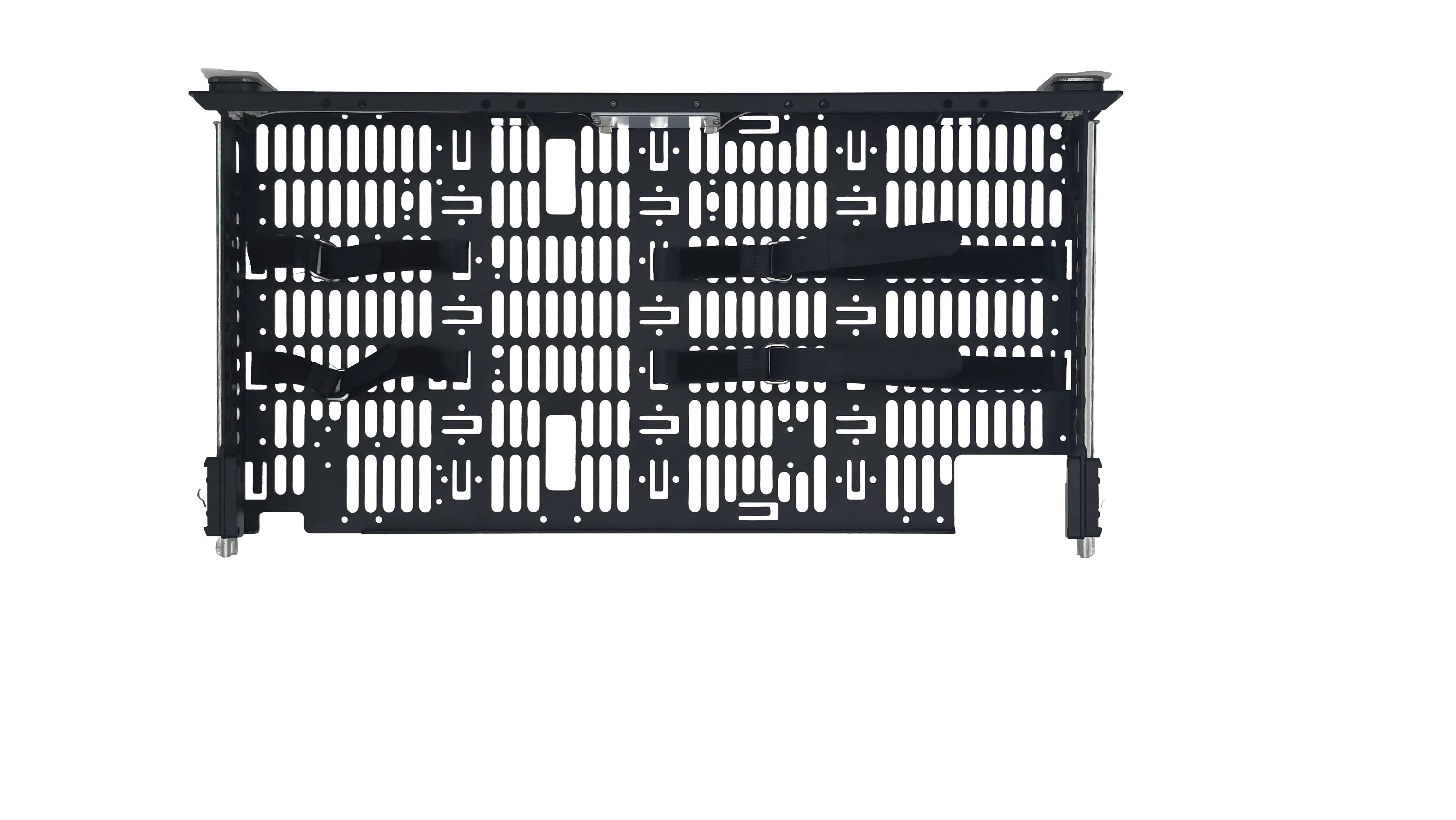
Top drawer (shown on a NUC PRO with a Mako 5600; the HR-01-2 top drawer holds the same items):
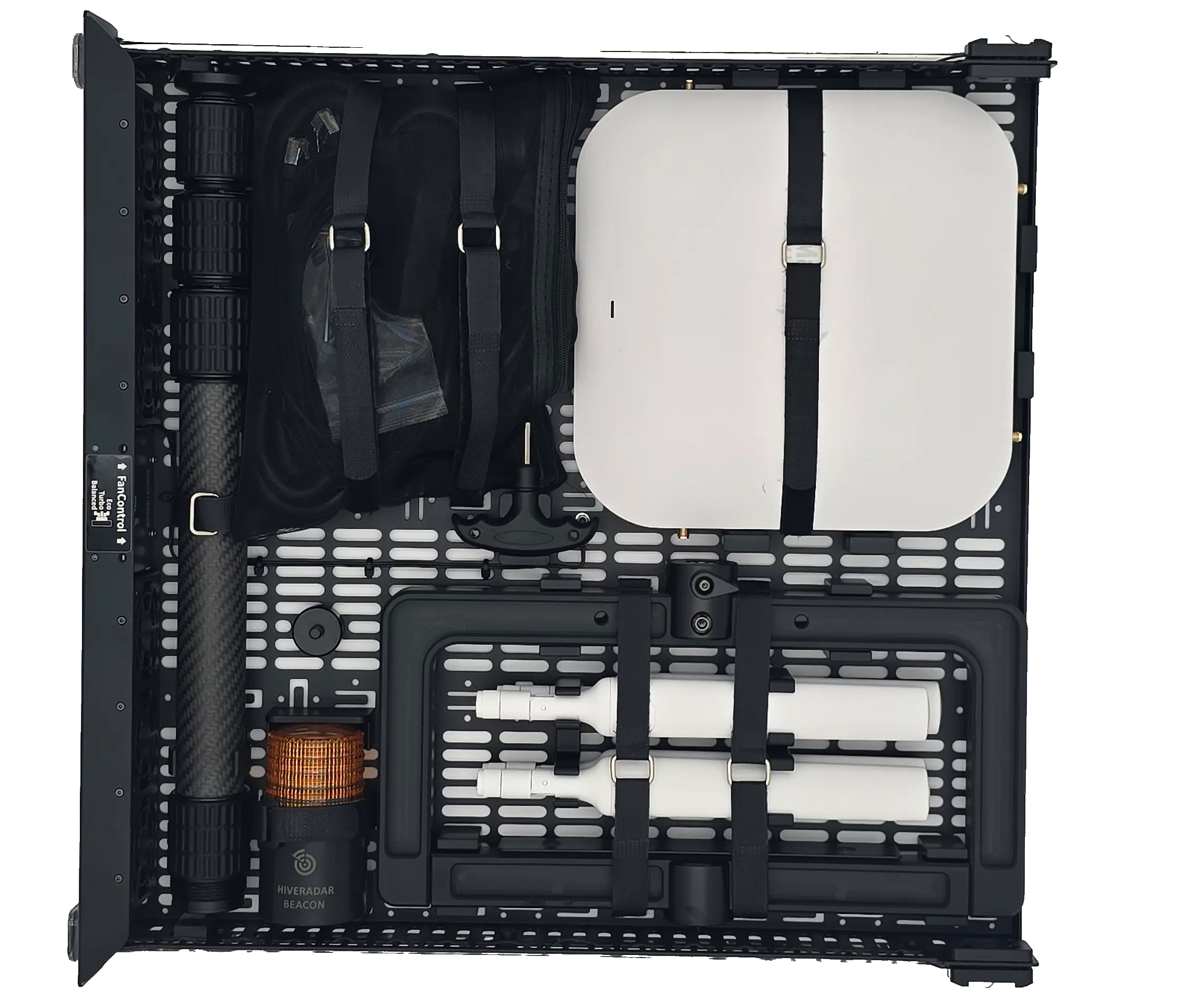
Accessory pouch:
- PDU power cable, 6 ft (NEMA 5-15P for North America, Schuko for International)
- 2 long Ethernet cables, for the gateway or an access point
- 8 short Ethernet cables, which link the keystone panel to the switch. The NUC PRO uses all 8; the HR-01-2 uses 6, leaving 2 spares
- EDC toolkit bag: 3 hex keys for the screws on the P-EDC, a spare rack screw and washer, screws for the PDU ears, and spare small drawer screws
- Pole velcro strap bag
- 2 spare drawer velcro straps
- PoE splitter and Mako mount clip (only with a Mako 5600 gateway)
- Tool to open the gateway for the SIM card (only with a HiveRadar cellular gateway)
- 2-4 SFP+ to RJ45 transceivers
- AP tool (only with a HiveRadar RDK access point)
By default, the SFP+ transceivers and the short cables are already connected when the P-EDC ships, so they are not in the pouch. This can vary by order and is confirmed when the order is placed.
The welcome letter and your Access & Configuration Sheet come in the envelope with the unit.
Each lid has an EnergyBar LED power module for its lighting, included on current units. Remove both before checking the P-EDC in as airline baggage, as printed inside the lids.
6. Inspect
- Case: no dents or cracks, wheels turn, the handle extends, latches work.
- Inside: nodes seated, no loose parts, cables connected, drawers open smoothly.
If something is damaged or missing
- Take photos and note the serial number (label on the rear panel, below the PDU).
- Report it to your partner or distributor within 5 business days, before powering on. Carriers often accept claims only in a short window, so sooner is better.
- Keep all packaging until the claim is settled.
- Do not power on a unit with internal damage or loose parts.
Next: Set Up the Case